

ChatGPT's memory or Jackdaw: how to choose
Where they are the same, where they differ, what each costs, and which one fits how you work.
By Jackdaw Team
ChatGPT's memory and Jackdaw do the same basic job. They keep what an AI has learned about you and your work, so the next conversation doesn't start from nothing.
They differ in where that memory lives. ChatGPT's lives inside ChatGPT and belongs to your account. Jackdaw's lives in a wiki that your team can read and that the AI tools you connect read from.
We make Jackdaw, so weigh it with that in mind. The facts about ChatGPT come from OpenAI's help pages on memory and projects, read on November 21, 2026.
At a glance
| ChatGPT's memory | Jackdaw | |
|---|---|---|
| Best for | One person who does most of their AI work in ChatGPT | A team that uses several AI tools and agents |
| Setting it up | Nothing to do. It is part of ChatGPT. | Sign up, then connect your AI tools |
| What it learns from | Past chats, saved memories, custom instructions, files and connected apps such as Gmail | Your chat in Jackdaw, the tools you connect, pages you write and what your AI tools save |
| Where you read it | A memory summary in settings | A wiki |
| Which AI can use it | ChatGPT | Claude, ChatGPT, Cursor, Claude Code and Codex |
| Shared with a team | In a shared project | Yes, with each person seeing what they are allowed to |
| Sources | Can appear under an answer | On every line |
| Price | Comes with ChatGPT | Free for people. Agents and connected tools use credits. |
Setting it up is the row where ChatGPT is plainly ahead, so we'll start there.
ChatGPT's memory needs no setup
ChatGPT's memory is part of ChatGPT. When it is on, it draws on your past chats, memories you asked it to save, your custom instructions, your files and, depending on your plan, connected apps such as Gmail. You don't install or connect anything.
Jackdaw is a separate product. You sign up and connect the AI tools you want it to work with. If ChatGPT is the only AI you use, its own memory is the simpler choice.
Jackdaw's memory works in more than one AI
ChatGPT's memory is used by ChatGPT.
Jackdaw's is read by the AI tools you connect to it: Claude, ChatGPT, Cursor, Claude Code and Codex. Something you settle in one of them is there in the others, and it stays when you change models. Your AI tools can also save to it, and what they save is marked as coming from an AI.
You can read all of Jackdaw's memory
In ChatGPT you review memory through a memory summary. OpenAI describes it as a high-level view, and says it may leave out some of the details and sources memory draws on. Sources can appear under an answer, and OpenAI notes that they may not show everything that shaped it.
Jackdaw's memory is a wiki. You can read all of it. Every line says where it came from, and pressing it opens the message, email or call behind it.
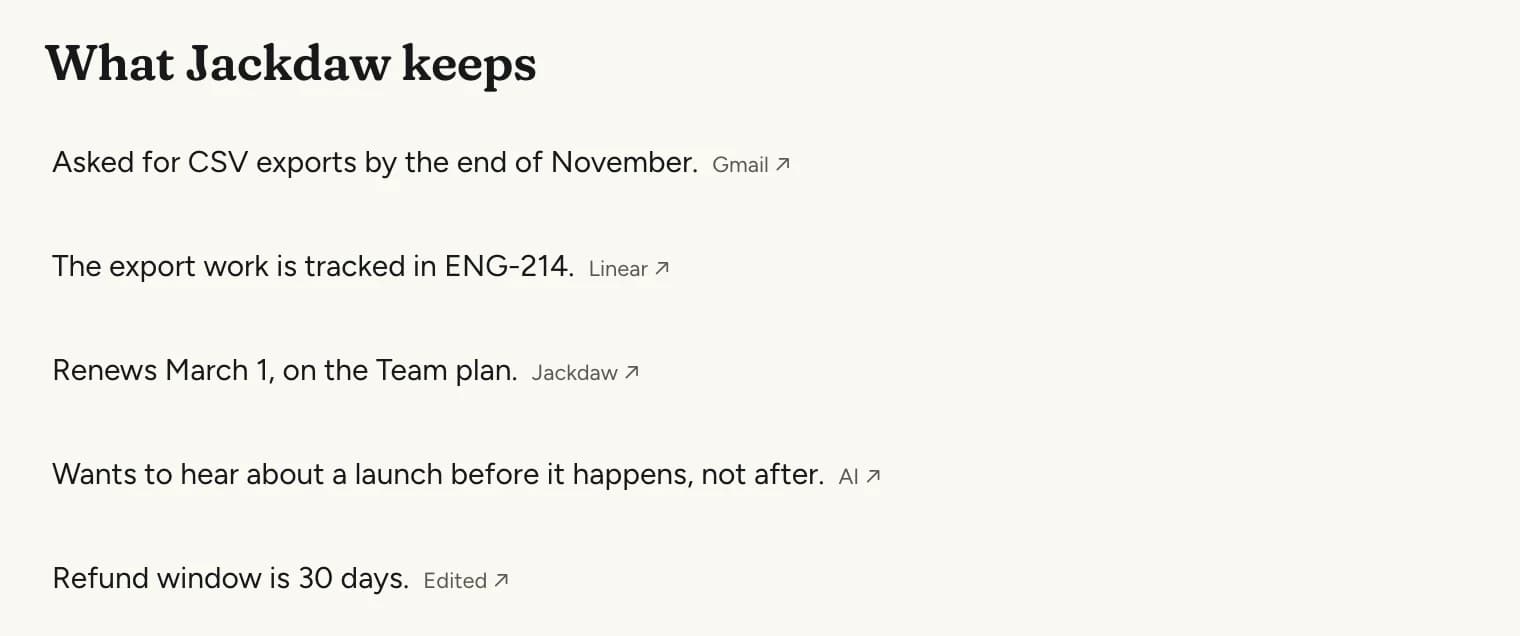
Both let you correct it
In ChatGPT you can type a correction into the memory summary, tell it something is out of date, or choose "Don't mention this again." OpenAI says that last one makes ChatGPT bring the information up less often, and that the chat or file it came from is not deleted.
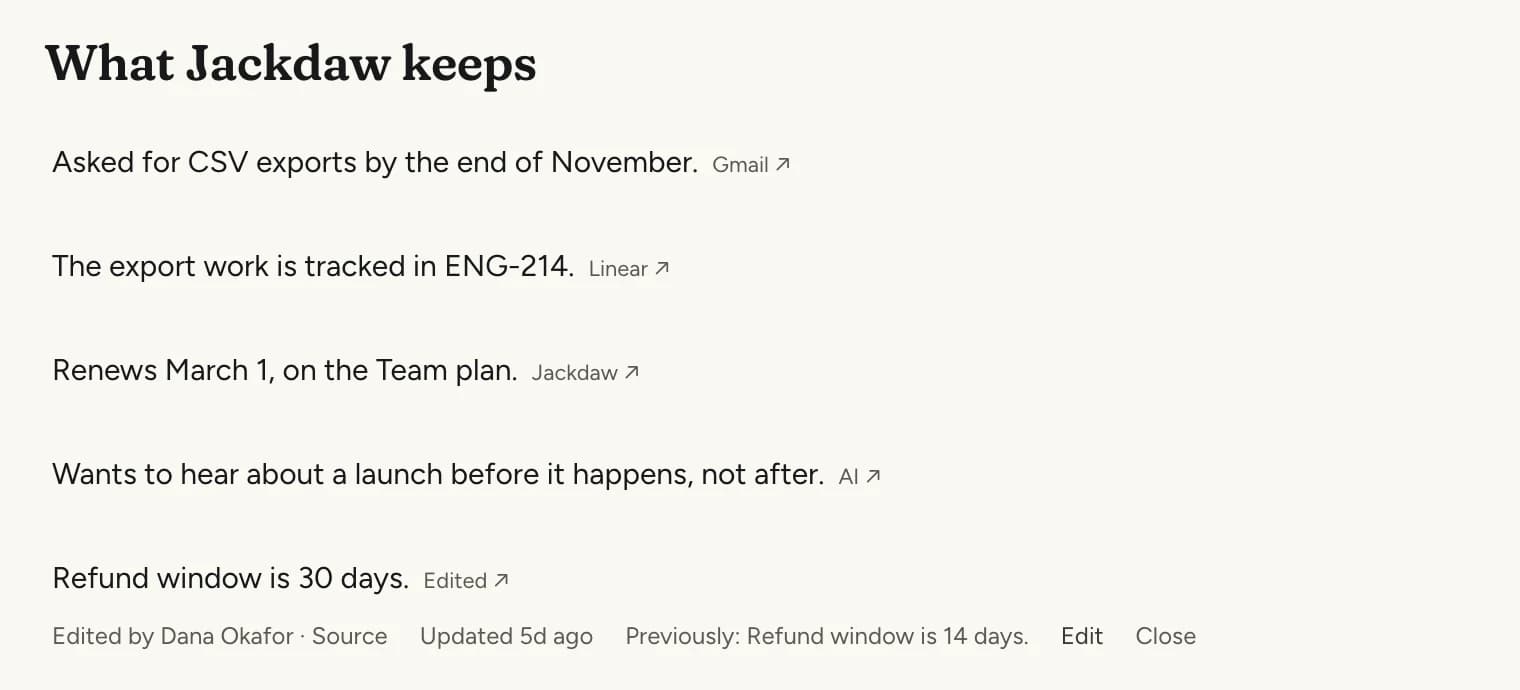
In Jackdaw you fix the line on the page. The fix is the answer from then on, for every person and every AI that asks, and the old line is kept under it. If you turn something down, it doesn't come back.
ChatGPT shares memory by project. Jackdaw shares one memory with a team.
ChatGPT's memory belongs to one account. To share context with other people you share a project. A shared project uses its own memory, drawn from the chats and files inside it, and can't reach a member's memories from outside the project.
Jackdaw keeps one memory for the whole team. Each person, and each agent, gets only what they are allowed to see. What is said in a private channel stays with the people in it.
What each costs
Memory comes with ChatGPT. What you get varies by plan and region, and a shared project holds 5 collaborators on Free, 10 on Plus and 100 on Pro.
In Jackdaw the wiki, the chat and your AI tools reading from it are free for everyone in the workspace. Credits pay for the work agents do and for Jackdaw reading the tools you connect. You start with 200 free, and 1,000 more cost $10.
Which should you choose?
There isn't one answer. In general:
ChatGPT's memory is the better choice if you work alone, if ChatGPT is the AI you use for nearly everything, or if you want memory with nothing to set up.
Jackdaw is the better choice if you use more than one AI tool, if a team and its agents need to work from the same memory, or if you want to read what is remembered and see where each line came from.
You can also use both. Connect ChatGPT to Jackdaw for what the team knows, and leave ChatGPT's own memory on for your personal preferences.